Apple Wallet + Google Wallet
The phone becomes the access credential
Issue and revoke digital credentials remotely. Employees tap a supported reader without carrying another physical card.
TimeClock 365ACCESS●●●● 0365
A cloud access control system that replaces physical cards, legacy servers and manual management — in one platform.
A lost card means an open door. How many times a month do you cancel and reissue?
Server failure = no access. IT runs to fix it at 3am — and ongoing maintenance costs that never end.
Who entered? When? Which zone? Without a cloud system — you have no idea and no report.
Time attendance system + access system = double costs, double headaches, and no synchronization between them.
No local server, no IT team. Connect the entry hardware to the network — the system is live within hours.
By employee, role, floor, zone and hours. Every change takes effect immediately — web interface only.
Remote unlock, anomalous access alerts, full log and report exports — in real time, from your phone.
Employees enter with their phone or NFC tag. No physical cards that get lost and cost money to replace.
Open or lock any door from anywhere. Change permissions from your phone. No need to be on-site.
Employee, manager, contractor, guest — each gets access only to where they need, only during permitted hours.
Complete history of every entry and exit. Export to Excel for audits, insurance and regulatory compliance.
Unusual access attempt? Entry outside hours? Get an immediate alert by email or phone.
One platform calculates payroll and manages access. No need for two systems — saves cost and time.
Open doors with a phone, manage identity centrally, and connect access events to the tools your organization already uses.
Issue and revoke digital credentials remotely. Employees tap a supported reader without carrying another physical card.
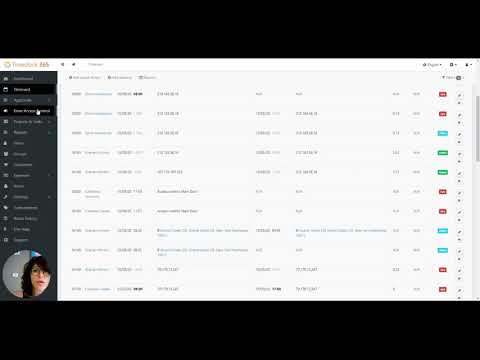
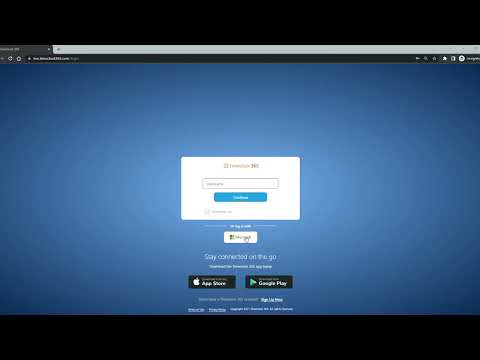
A TimeClock 365 video showing the access-control workflow. More official tutorials are available in the full video library.
All official video tutorials →The examples below are paraphrased from TimeClock 365’s official testimonials. Company names were not published, so we identify each story by sector and role.
Biometric reporting eliminated buddy punching; the published testimonial says the terminal paid for itself within two months.
A direct QuickBooks export reduced the published payroll-processing example from three hours to ten minutes.
GPS clock-in gave managers live visibility that crews were reporting from the relevant job site.
The published testimonial describes a seamless Teams integration and automated Innovation Authority reports.
Moving location management into one screen reportedly cut scheduling time in half.
The customer described the platform as secure and easy to use, with staff adapting within one day.
These are customer-reported outcomes, not a guarantee for every deployment. Results depend on workflow, organization size, configuration and adoption.
Official source →Cloud migration is not only a hosting decision. It changes how permissions, employee records and access events are managed every day.
An on-premise system requires a physical server on-site, ongoing IT maintenance, and manual software updates. A cloud-based system like TimeClock 365 runs entirely from the browser — real-time remote management, automatic updates, and zero dependency on local hardware. No single point of failure, no need for an on-site technician to change settings.
Yes. TimeClock 365 supports the popular ZKTeco range including biometric readers, NFC readers, and smart cards. If you already have ZKTeco hardware installed, it can be connected to the cloud system without replacing equipment.
Initial system setup takes between one hour and a few hours, depending on the number of doors and sites. No dedicated IT team required — all settings are configured via the web interface. The hardware itself (ZKTeco readers) connects via a standard network cable.
Absolutely. The dashboard shows all sites, doors, and permissions in one unified view. You can set different permissions for each branch, floor, or zone — and see in real time who is where.
Entry readers store permissions locally and allow access even without an active connection. Once the internet returns, the log synchronizes automatically with the cloud. You will not lose control of your doors due to a provider outage.
15-minute demo. We'll show you exactly how it works in your organization.